WMS vs MRP vs ERP: What Each System Does and How to Choose
Three acronyms come up every time a factory or warehouse looks at new software. This guide explains in plain terms what ERP, MRP and WMS do, where they differ, which one to start with, and how the three share data, with an overview of the Japanese-developed systems C.NET (Thailand) provides.
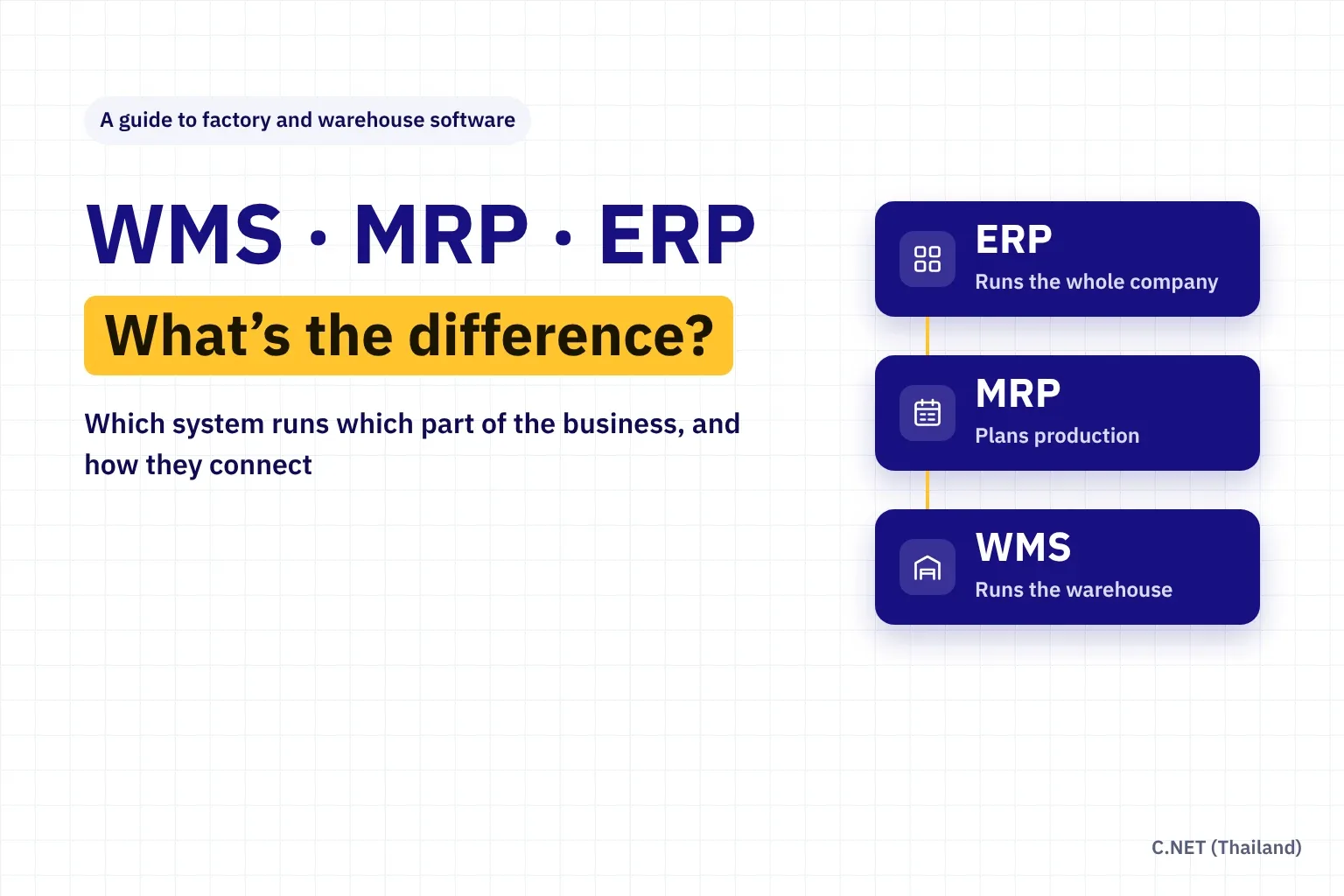
Short answer: these three systems do not replace one another. They look after different layers of the business. ERP (Enterprise Resource Planning) runs company-wide records such as sales, purchasing, accounting and HR. MRP (Material Requirements Planning) works out what to make and which materials to buy, how many and when. WMS (Warehouse Management System) controls the physical work in the warehouse: which bin and lot each item is in, and who receives, stores, picks and ships it.
An easy way to remember it: ERP follows money and documents, MRP follows plans and time, and WMS follows the actual goods. Most companies start with one system and connect the others as they grow. C.NET (Thailand) offers all three, each developed in the Japanese way of working: the ci.Himalayas WMS, the TPiCS-X MRP and SimLex ERP, available as standard packages or with custom add-ons.
- 1964
- First production use of MRP, at Black & Decker in the US
- 1990
- Gartner coins the term ERP for systems that extended MRP to the whole enterprise
- 14 years
- ci.Himalayas ranked first in Japan's cloud WMS revenue share, year after year
What are WMS, MRP and ERP? One table to see the difference
| ERP | MRP | WMS | |
|---|---|---|---|
| Full name | Enterprise Resource Planning | Material Requirements Planning | Warehouse Management System |
| Main question it answers | What do we sell, buy and pay, and what is our profit? | What do we make and buy, how many and when? | Where is it, what do we pick, and who is it for? |
| Core data | Customers, suppliers, chart of accounts, sales orders, invoices | Bills of materials, master production schedule, stock, lead times | Bin locations, lots, expiry dates, serial numbers, pick tasks |
| Stock detail | Total quantity per warehouse or branch | On hand and expected receipts by period | Per bin location and lot |
| Main users | Accounting, finance, purchasing, sales, management | Production planning (PC/PMC) and material buyers | Warehouse supervisors, receiving, picking, packing and shipping staff |
| What it produces | Financial statements, tax filings, management reports | Production orders, planned purchase orders, schedules | Accurate stock, correct picks, on-time shipments |
What is ERP? The central system for the whole company
ERP is a software suite that puts a company's core processes on one database. When sales enters an order, accounting sees the receivable, purchasing sees the demand and management reports come from the same numbers, with no spreadsheets passed from desk to desk. IBM notes that the term ERP was coined by the research firm Gartner in the 1990s to describe systems that grew out of MRP and MRP II to cover the whole enterprise, not only the factory (IBM).
For companies in Thailand, check that accounting and tax follow Revenue Department formats, including withholding tax, tax invoices and e-Tax Invoice. Companies with Board of Investment (BOI) privileges should also be able to record BOI and non-BOI materials separately.
- General ledger, receivables, payables, fixed assets and financial statements
- Sales: quotations, sales orders, delivery notes, invoices
- Purchasing: purchase requests, purchase orders, receipts, supplier invoices
- Overall inventory and product costing
- HR and payroll (an add-on module in some systems)
- Management reports built from one set of numbers across the company
What is MRP? Knowing what to make and buy, and when
In the widely used APICS (now ASCM) definition, MRP is a set of techniques that takes the bill of materials (BOM), inventory data and the master production schedule to calculate requirements for materials and components. Joseph Orlicky developed the approach, Black & Decker first ran it in production in 1964, and it spread widely after his book Material Requirements Planning came out in 1975 (TechTarget).
MRP answers questions that spreadsheets struggle with once products have several levels of components: if a customer needs 100 units on the 20th, when must each part be ready, when do we have to order it, and how many should we buy after allowing for stock on hand and orders already placed?
Explode the bill of materials
For a plan of 100 chairs, the system reads the BOM: one chair uses 4 legs, so 400 legs are needed. It repeats this for every component at every level.
Net off stock and open orders
There are 120 legs in stock and nothing on order, so the net requirement is 280 legs.
Offset by lead time
The supplier needs 5 days and the legs are needed on the 20th, so the system recommends placing the order by the 15th.
Create planned orders
The output is a list of planned purchase and production orders. Planners review and release them, and when the sales plan changes the system simply recalculates.
MRP and MRP II are not the same. MRP focuses on materials and timing. MRP II (Manufacturing Resource Planning) adds machine and labour capacity and links to costing and finance. Most modern production planning systems go well beyond classic MRP.
What is a WMS? Knowing exactly where every item is
Gartner defines a WMS as software that helps manage and intelligently execute the operations of a warehouse, distribution centre or fulfilment centre (Gartner Glossary). In practice, ERP may tell you there are 500 units of item A in the warehouse. A WMS tells you which bins they sit in, which lots they belong to, when they expire, which lot to pick first and who picked them.
A WMS works with barcode scanners or handheld terminals so each step is confirmed by a scan, which keeps system stock in line with what is really on the shelf.
Receiving and put-away
Check deliveries against purchase orders, record lots and expiry dates, and get a suggested storage location.
Picking, packing and shipping
Pick tasks follow an efficient route with FIFO/FEFO rules, and every item is scanned before the carton is closed and before it goes on the truck.
Counting and moves
Cycle count without closing the warehouse, and keep a full movement history for every item.
Real-time floor reporting
See open tasks, output per person and free space, so you can move people and space where they are needed.
How do the three work together? Follow one sales order
ERP: take the sales order
Sales enters the order in ERP with price, terms and delivery date.
MRP: plan production and materials
MRP combines the demand with the production plan and stock, then issues production orders and material purchase orders.
WMS: receive materials and supply the line
Incoming materials are scanned in and put away. At production time the WMS directs picking of the right lots to the line.
WMS: receive finished goods and ship
Finished goods come into the warehouse, then are picked, packed, checked and loaded against the sales order.
ERP: invoice and close
Actual shipped quantities flow back to ERP to raise the invoice, relieve inventory in the books and calculate cost.
When the three are not connected, people key the same data several times, departments see different numbers, and production plans run on stock figures that are out of date. Systems can be linked through APIs, scheduled CSV files or a shared database. The key is agreeing which system owns each piece of data, such as item codes, units of measure and locations, before going live.
Which system should your business start with?
| Common symptom | System that helps most | Why |
|---|---|---|
| Can't find stock, system stock doesn't match the shelf, frequent mis-picks | WMS | Controls stock by location and enforces scanning at every step |
| Materials run out and stop the line while others overflow the warehouse | MRP | Calculates requirements from the BOM and plan instead of guesswork |
| Late deliveries because production is planned across many spreadsheets | MRP | One plan for the whole plant that recalculates when things change |
| Slow month-end close, sales, purchasing and accounting figures disagree | ERP | Every department works from the same data with less re-keying |
| Wholesale, 3PL or e-commerce business with no manufacturing | WMS + accounting or ERP | The core work is warehousing and shipping, so MRP isn't needed |
| Plant with several lines plus raw-material and finished-goods warehouses | ERP + MRP + WMS | Each system handles its own layer and they share data |
Many ERP systems include warehouse and production modules. With few items, one warehouse and no need for lot or bin control, those modules may be enough. With thousands of SKUs, lot and expiry control, or production plans that change often, dedicated WMS and MRP systems work in far more detail.
Why do so many plants and warehouses in Thailand choose Japanese-developed software?
Software designed in Japan tends to be built around detailed shop-floor practice such as Just in Time, continuous improvement (kaizen) and mistake-proofing (poka-yoke). Its workflows check each step before allowing the next, so bad data doesn't travel downstream.
There is also a practical reason in Thailand: many companies are Japanese-owned or supply Japanese customers. Systems that run in Thai, English and Japanese let Thai teams work comfortably on the floor while Japanese managers and head office read the same reports without translation.
What C.NET (Thailand) offers: WMS, MRP and ERP
WMS: ci.Himalayas from C.NET Japan
ci.Himalayas is developed by C.NET in Japan, our parent company, which has built warehouse systems since 1992. According to Deloitte Tohmatsu MIC Research Institute, ci.Himalayas held a 16.7% share of cloud WMS revenue in Japan in fiscal 2024, ranking first for the 14th year running (LOGI-TODAY). It has more than 150 warehouse functions and runs in several languages, including Thai, English, Chinese, Indonesian and Myanmar.
For mid-sized to large, multi-site or 3PL warehouses, see ci.Himalayas/GLOBAL warehouse management system. Smaller businesses that want to start on a modest budget can look at our SME WMS (ci.Himalayas/Base), which runs on Android smartphones.
MRP: TPiCS-X production planning and control from Japan
TPiCS-X is developed by TPiCS Laboratory in Tokyo, has been on the market since 1986 and is used by more than 2,000 companies (issoh). It is designed for plants that mix repetitive production with make-to-order work: each item can be planned either by MRP or by job number (seiban). It covers sales, production planning, purchasing, production orders, shipping and inventory, runs in Thai, English and Japanese, and can be installed on-premises or in the cloud.
C.NET (Thailand) distributes TPiCS in Thailand and can open support tickets directly with TPiCS Laboratory in Japan. See TPiCS-X Production & Inventory Control.
ERP: SimLex, built for Japanese companies in Thailand
SimLex is developed by a Japanese company based in Thailand specifically for Japanese businesses operating in Southeast Asia. It brings sales, purchasing, production, inventory, barcode, accounting and payroll into one system, with screens in Thai, English and Japanese. Its accounting is approved by the Thai Revenue Department, it supports e-Tax, and it records BOI and non-BOI goods separately (SimLex ERP brochure).
You can start with part of it, such as accounting or sales, and grow into full ERP later. See SimLex ERP.
Standard package or customised to your workflow?
Standard package
Best when your processes are close to common practice: faster go-live, predictable cost and easy version upgrades.
Add-on development
Add screens, reports or functions your business needs, such as barcode scanning at the production line or plant-specific calculations, without changing the core system.
Integration with what you have
Keep your existing ERP or accounting software and connect it to the WMS or TPiCS-X instead of replacing everything.
Our advice from implementation work: use as much standard functionality as possible, and customise only where it creates a real advantage for your business. The more a system is modified, the more long-term maintenance and upgrade testing it needs. The C.NET (Thailand) development team helps sort which requirements can be met by configuration and which are worth building as add-ons (development is quoted by scope).
Discuss goals and visit the site
Understand your real workflow, the problems you face and the systems you use today.
Fit-gap analysis
Compare requirements with standard features and separate what can be configured from what needs development.
Propose approach and scope
Choose the right system and whether to go standard, add add-ons or integrate with existing systems, with a clear plan.
Implement, migrate and train
Configure the system, prepare master data, test with real work and train each department.
Support after go-live
Our team in Thailand answers questions, fixes issues and adapts the system as your business changes.
Frequently asked questions: WMS, MRP and ERP
What is the simplest way to explain WMS vs MRP vs ERP?
ERP manages company-wide records such as sales, purchasing and accounting. MRP plans what to make and which materials to buy, how many and when. WMS controls the physical work in the warehouse, from receiving and storage to picking and shipping.
Is MRP the same as ERP?
No. MRP plans production and materials, while ERP is broader and covers accounting, finance, sales, purchasing and HR. Some ERP systems include an MRP module, but dedicated MRP systems usually plan production in more detail.
If we already have ERP, do we still need a WMS?
It depends on how complex your warehouse is. With few items and no need for bin or lot control, the ERP inventory module may be enough. With thousands of SKUs, FIFO/FEFO, lot and expiry control, or ongoing mis-picks and stock discrepancies, a WMS helps far more and can send data back to the ERP.
Does a business without manufacturing need MRP?
Usually not. Wholesale, retail, 3PL and e-commerce businesses without production typically run a WMS alongside accounting software or ERP.
Which system should we implement first?
Start where the business loses the most money or customers. If the problem is in the warehouse, such as inaccurate stock or wrong shipments, start with a WMS. If materials often run short or pile up, start with MRP. If departments disagree on numbers and month-end close is slow, start with ERP.
Which systems does C.NET (Thailand) provide?
C.NET (Thailand) provides the ci.Himalayas WMS from C.NET Japan, the TPiCS-X MRP from TPiCS Laboratory in Japan and SimLex ERP, developed by a Japanese company in Thailand, together with implementation, support, add-on development and integration with your existing systems.
Can the software be customised to our workflow?
Yes. You can use the standard package as is, or have the C.NET (Thailand) development team build add-ons and connect to the systems you already use. Development is quoted by scope after a fit-gap analysis.
Sources
- IBM, What is enterprise resource planning (ERP)?
- TechTarget, Material requirements planning (MRP)
- Joseph Orlicky (1975), Material Requirements Planning: The New Way of Life in Production and Inventory Management, McGraw-Hill
- Gartner Glossary, Warehouse Management System (WMS)
- LOGI-TODAY (19 Dec 2025), ci.Himalayas cloud WMS share, Deloitte Tohmatsu MIC Research Institute
- issoh, What is TPiCS? (Japanese)
- SimLex Development, SimLex ERP System brochure
Updated November 2026 by the C.NET (Thailand) team · Illustrations are concept diagrams; the MRP figures are a worked example, not customer data.